If your shelf won't open, don't panic. Most lockouts are caused by dead batteries, and you can usually fix one in a few minutes without damaging anything.
This guide walks you through the fixes in order, from the easiest to the last resort. Start at Step 1 and stop as soon as your shelf opens. Powering the lock externally and swiping your card (Steps 2 and 3) solves about 90% of lockouts.
Step 1: Confirm you have an older shelf with a rear power port
Check the back of your shelf for a small power port near the lock. Every Timber Vaults shelf made before mid-2026 has this port, so the lock can run on outside power when the batteries die.
- You see a power port: you have one of our older locks. Go on to Step 2.
- No port: your shelf is a newer model. Shelves made from mid-2026 on have a low-battery alarm and an anti-lockout feature that keep dead batteries from locking you out. If you're locked out of a newer shelf, contact our support team at info@timbervaults.com or (737) 777-8206.
Step 2: Power the lock with an AC adapter
Plug an AC adapter into the port on the back of the shelf, then plug the other end into a wall outlet. The lock then runs on wall power instead of the dead batteries.
If your shelf came with an AC adapter, use that. If you can't find it, you can order a replacement:

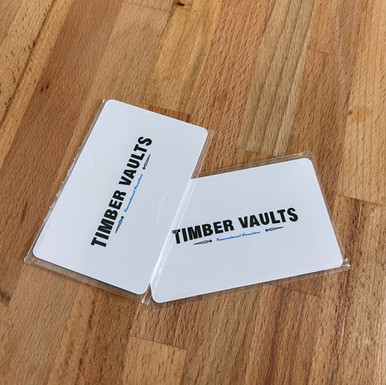
Step 3: Swipe your card while lifting the shelf
With the lock powered, this step opens most shelves.
- Use one hand to push up gently on the bottom of the drop-down shelf. This takes pressure off the lock so it can release.
- Keep pushing up and swipe your user card over the lock with your other hand.
- The lock should release and the shelf should drop open.
Once you're in, replace the batteries right away so it doesn't happen again.
Heard several beeps and the shelf stayed shut? Go to Step 4.
Step 4: Use a master card if your key is out of sync
If the batteries were dead for a long time, your card may no longer be synced with the lock. When that happens, you'll usually hear several beeps when you swipe, and the lock won't release.
A new master card fixes this. When it arrives, keep the lock powered and repeat Step 3 using the master card.
Step 5 (last resort): Force the shelf open with an inflatable air wedge
Warning: only use this method if Steps 2 through 4 haven't worked. Forcing the shelf open can damage the lock, the shelf or both.
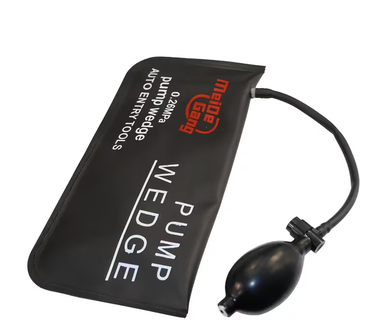
- Slide the deflated wedge into the gap between the bottom drop-down shelf and the upper shelf.
- Pump the wedge slowly. As it inflates, it pushes the shelves apart and forces the lock open.
- Once the shelf opens, let the air out and remove the wedge.
After forcing the shelf open, check the lock and shelf for damage before you use it again.
Avoid future lockouts
- Replace the lock's batteries on a regular schedule, before they run down.
- Keep your AC adapter and a spare master card somewhere you can reach without opening the shelf.
Still locked out after trying every step? Email us at info@timbervaults.com or call (737) 777-8206, and we'll help you get back in.
Upgrade to a shelf that won't lock you out
If your shelf is one of our older models, consider upgrading to a new unit. Every shelf we make today has a low-battery warning that alerts you before the batteries die, plus an anti-lockout feature, so a dead battery never leaves you stuck outside your own shelf. Browse our current concealment shelves.


